


Artificial intelligence has quickly become part of the modern UX and product design workflow. From synthesizing user research and writing microcopy to generating product ideas and critiquing interfaces, AI tools can save hours of work and help teams move faster.
But not all AI assistants are equally effective for designers.
Two of the most popular options today are ChatGPT and Claude . Both are capable AI platforms with advanced reasoning abilities, strong writing skills, and growing multimodal capabilities. However, they excel in different areas, and those differences become increasingly important when you're working on real UX and product design challenges. If you're a UX designer, product designer, UX researcher, design lead, or product manager, this guide will help you understand which platform delivers the most value across key design workflows.
What we're comparing (and why it matters)
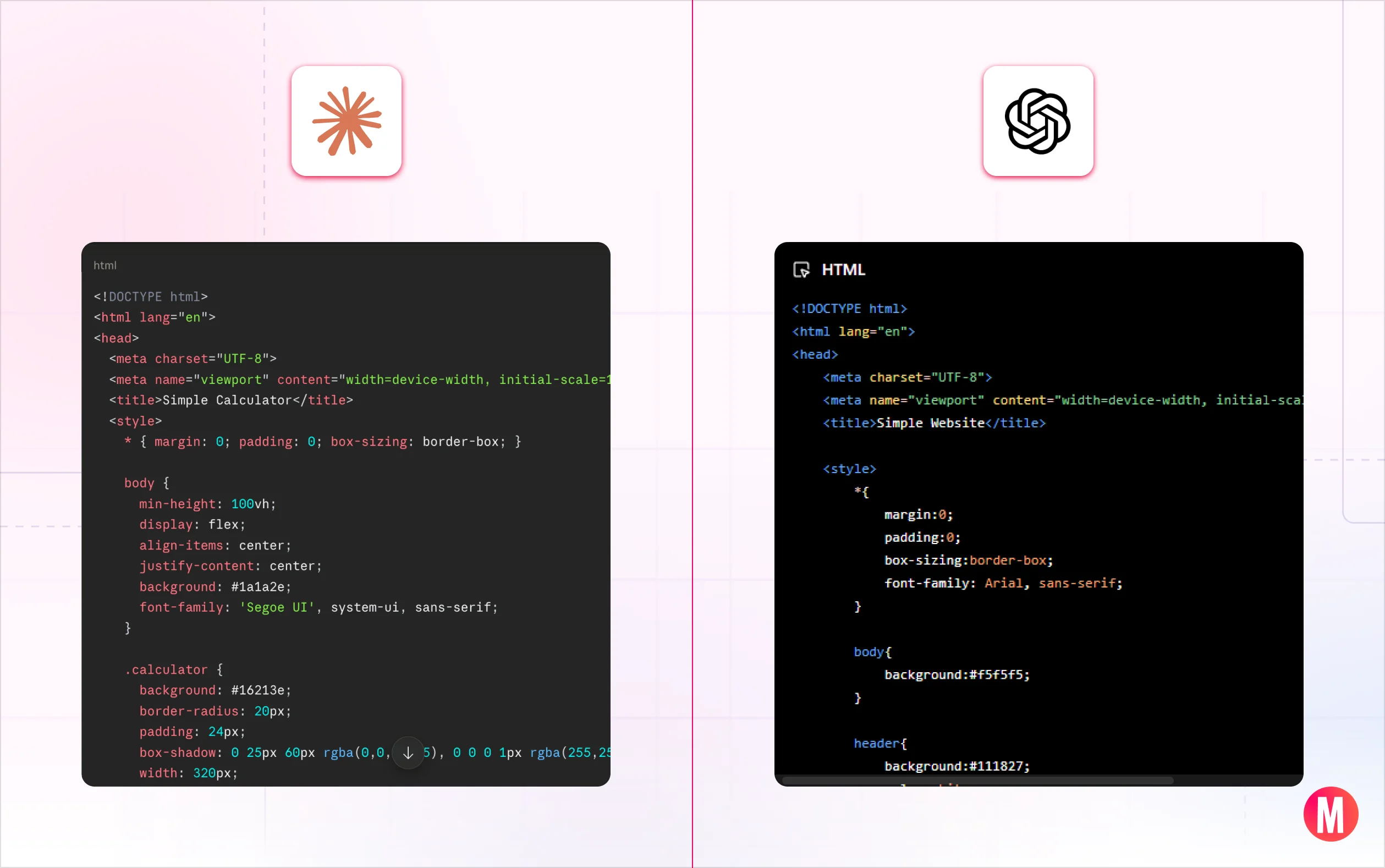
Both platforms ship new models and features constantly, so this reflects how each performs as of mid-2026, with notes wherever something is likely to change soon. Here's what we cover:
Feature | ChatGPT | Claude |
Web pricing | Free with limited access to GPT-5.5. Paid plans start at $20/month (Plus), with higher tiers at $100 and $200/month (Pro). | Free with limited daily access. Paid plans start at $20/month (Pro), with higher tiers at $100 and $200/month (Max). |
API pricing | Billed per million tokens; varies by model.
| Billed per million tokens; varies by model.
|
Design & prototyping | Strong for generating visual concepts, moodboards, and mockup-style images directly from a prompt. | Strong for turning a description into a working, interactive prototype (artifacts) and for long, consistent design documentation. |
Coding capabilities | Advanced, especially with GPT-5.5 and Codex's autonomous task execution. | Strong for understanding existing codebases and collaborating on architecture, especially useful for design systems that need to evolve carefully. |
Voice interaction | Industry-leading voice mode with natural, real-time conversation. | Basic voice support; less developed than ChatGPT's. |
Image generation | Native image generation and editing with strong prompt adherence. | No image generation; strong at analyzing and critiquing uploaded designs instead. |
Reasoning & research synthesis | Excellent through GPT-5.5 and the o-series; strong for weighing competing interpretations of ambiguous research. | Strong long-context reasoning; well suited to synthesizing large research sets while keeping sources traceable. |
Note: Pricing, features, and plan availability may change over time. For the most up-to-date information, please visit the official pricing pages https://openai.com/pricing and https://claude.com/pricing
The design-to-code handoff: claude code vs. Codex
For many design teams, the highest-stakes AI use case isn't ideation or documentation it's handing finished designs to engineering without losing fidelity or creating rework cycles. Both platforms have dedicated coding tools for this, and they take fundamentally different approaches.
Claude Code | Claude Code is built around collaboration and reasoning. It excels at understanding large codebases, explaining complex logic, suggesting architectural improvements, and generating clean, maintainable code. It often feels like working with an experienced senior developer who not only writes code but also helps you think through design decisions and trade-offs — which makes it especially valuable for design-to-code handoff on systems that need to stay consistent over time. |
Codex | Codex, on the other hand, is built for execution and automation. It's designed to take a task, work through it independently, and deliver a solution with minimal supervision. Codex shines when a design is already finalized, and you need it implemented quickly, or when repetitive front-end work needs automating across a large codebase. |
Pro tip: Claude Code is generally better for code quality, architecture, and developer collaboration, while Codex is stronger for autonomous execution, automation, and rapid software delivery.
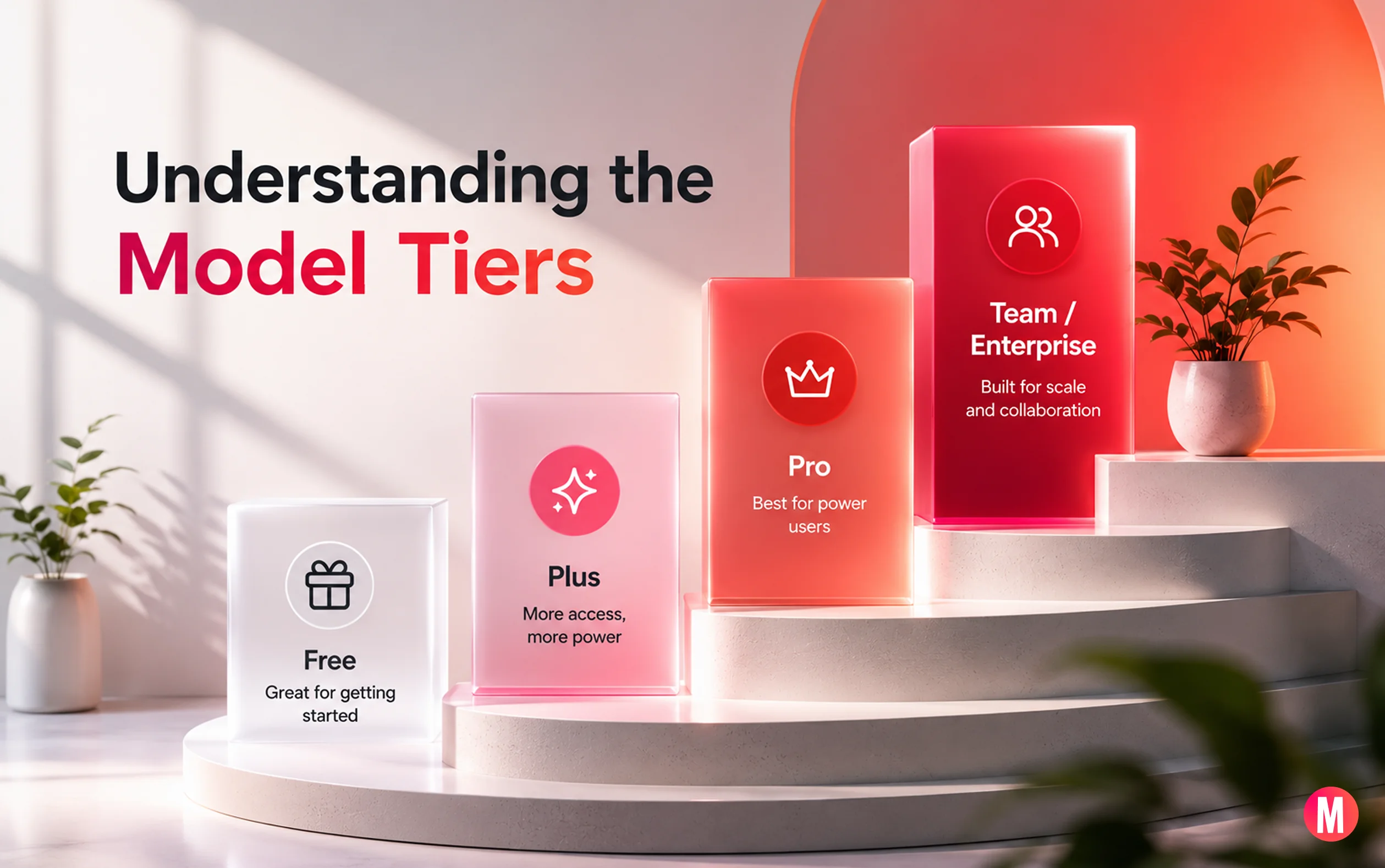
Understanding the Model Tiers
➡️ Claude's Model Family
Haiku 4.5 | Volume and speed: |
Sonnet 4.6 | The everyday workhorse: |
Opus 4.8 | Deep reasoning and complex work: Anthropic's most capable publicly available model. Use it for genuinely difficult, multi-step problems: synthesizing 40+ user research sessions into strategic themes, architecting a design token system from scratch, or auditing a large component library for contradictions and inconsistencies. |
➡️ ChatGPT's Model Family
GPT-4.1 family | Offers a large context window and cost-efficient performance for high-volume workflows. It is well suited for document processing, content generation, and tasks where speed and affordability are more important than advanced reasoning depth. |
The o-series (o3, o4-mini) | The o-series (o3, o4-mini) are reasoning-focused models relevant for design teams using AI for strategic product decisions or competitive analysis rather than day-to-day creative work. |
GPT-5.5 Pro | GPT-5.5 Pro is the highest-accuracy variant reserved for Pro, Business, and Enterprise tiers. For most design workflows, the practical difference from standard GPT-5.5 is minimal. |
GPT-5.5 | GPT-5.5 is OpenAI's flagship strong across writing, coding, reasoning, and multimodal tasks including image generation and voice. Available to Plus users with usage limits; unrestricted on Pro. |
2 real UX workflow walkthroughs
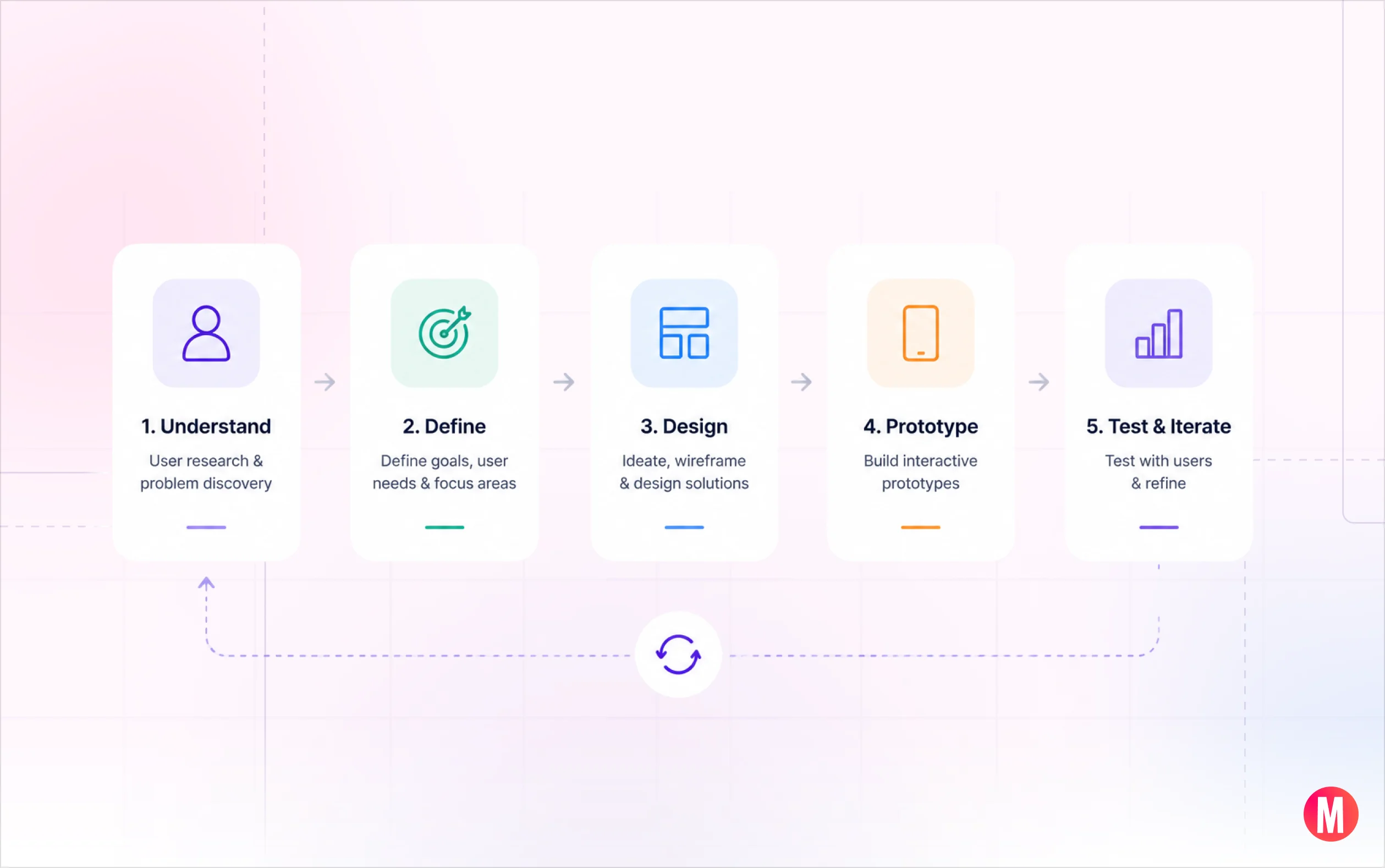
Scenario 1: Early-Stage Visual Concept Exploration
The situation: A product designer needs to present three distinct visual directions for a new mobile onboarding flow to stakeholders the next morning.
With ChatGPT: Prompt DALL-E with each direction's mood, target audience, and one anchor reference. Generate 4–6 reference images per direction in roughly ten minutes of work. Use voice mode to talk through what's working while reviewing on a second screen. Arrive at the meeting with a visual stimulus that triggers concrete feedback instead of abstract preferences.
Example prompt: "Generate a moodboard direction for a mobile fintech onboarding flow. Target audience: women 28–38, professionals, design-aware. Direction: warm, editorial, confidence-building. References: Headspace's color warmth, Monzo's typographic clarity. 5 images."
With Claude: You'd be describing directions in text, which is useful for brief writing but not the visual conversation starter that stakeholders respond to in early reviews.
Winner: ChatGPT, clearly.
Scenario 2: Turning a User Story into a Testable Prototype
The situation: A UX team needs a working prototype of a multi-step checkout flow for moderated usability tests in 48 hours. No engineering resources available.
With Claude: Paste the user stories and a brief component description. Claude generates a complete, interactive HTML prototype with working step transitions, form validation, error states, and a mobile-responsive layout ready to share with the research team. Total time: under an hour, including two rounds of refinement.
Example prompt: "Build an interactive HTML prototype of a 4-step e-commerce checkout flow: (1) cart review, (2) shipping address, (3) payment, and (4) confirmation. Include form validation with inline error messages, a progress indicator, a mobile-responsive layout, and a back button on each step. Use a clean, minimal visual style."
With ChatGPT: ChatGPT can also generate functional prototype code and help iterate on user flows, interactions, and UI patterns. It is particularly useful when designers want to explore alternative approaches, refine requirements, or combine prototyping with broader design and product discussions.
Claude vs. ChatGPT time comparison: Many designers find Claude particularly effective for generating self-contained interactive prototypes, while ChatGPT offers greater flexibility across ideation, design exploration, content creation, and development support. The best choice often depends on the team's workflow and project requirements.
Winner: Claude, for rapid prototype generation and refinement.
Explore more technology and innovation insights on MassiveWork.
Prompt templates for UX design work
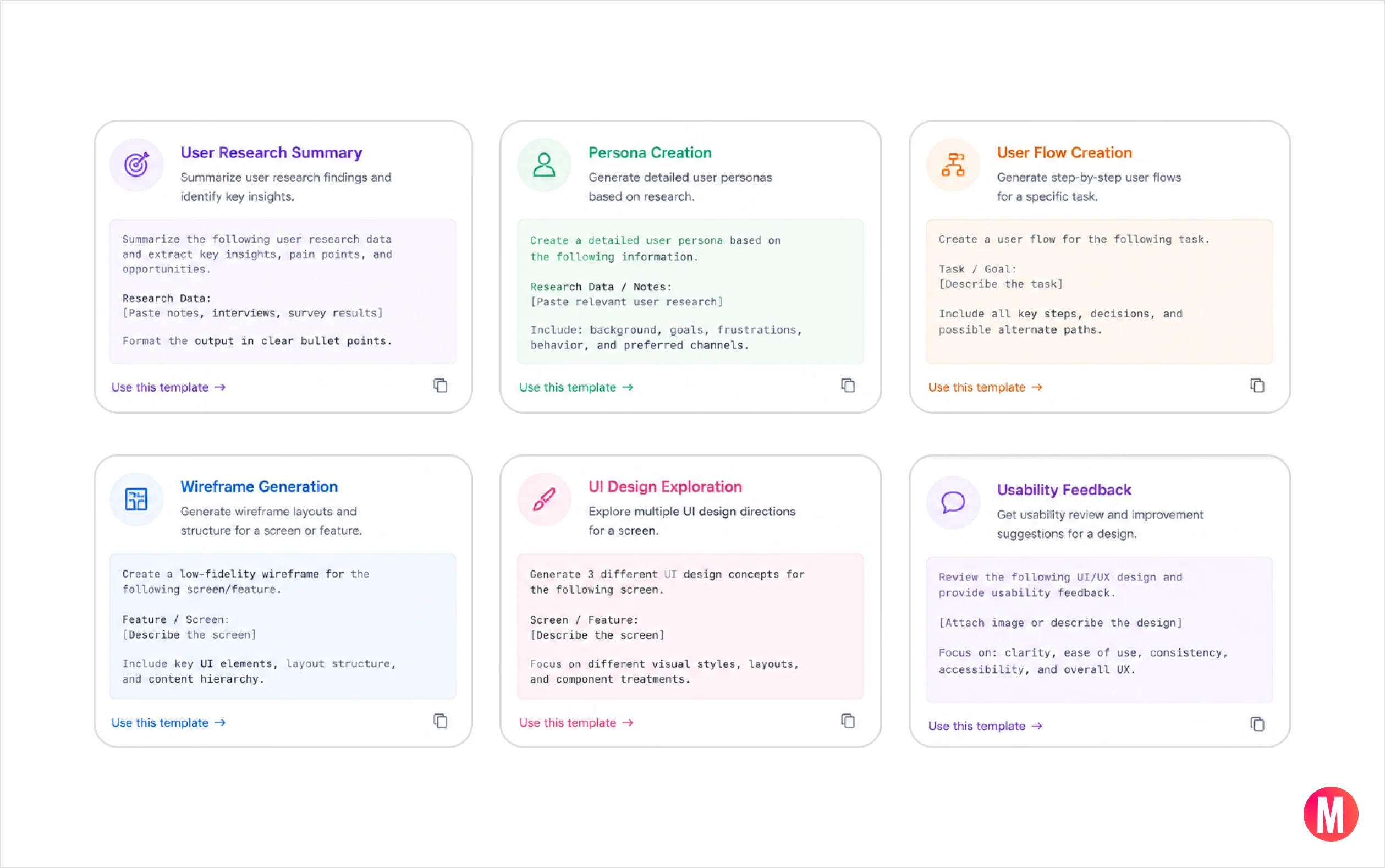
One of the biggest differences between designers who get great output from these tools and those who don't is prompt specificity. Here are templates that consistently produce strong results.
ChatGPT Image Generation Prompts
Moodboard direction: "Generate a visual moodboard for [product type]. Target user: [brief user description]. Visual direction: [2–3 adjectives]. Aesthetic references: [1–2 specific references]. Output 5 images that could sit coherently in the same presentation deck."
UI component exploration: "Generate 4 variations of a [component name] for a [product type] app. Each variation should have a distinct visual personality: (1) minimal and functional, (2) warm and approachable, (3) bold and high-contrast, (4) editorial and typographic-led. Desktop layout."
Claude Prototyping Prompts
Interactive prototype: "Build an interactive HTML/CSS/JS prototype of [flow name]. Steps: [numbered list]. Requirements: [form validation / responsive layout / hover states / specific interaction]. Visual style: [minimal / branded / wireframe-fidelity]. Include a reset button."
Accessibility annotation: "Review this component description and generate a complete accessibility annotation: [paste component description]. Include ARIA roles and labels, keyboard navigation order, focus management, color contrast requirements (WCAG AA), and screen reader announcements for state changes."
Which tool is right for your role?
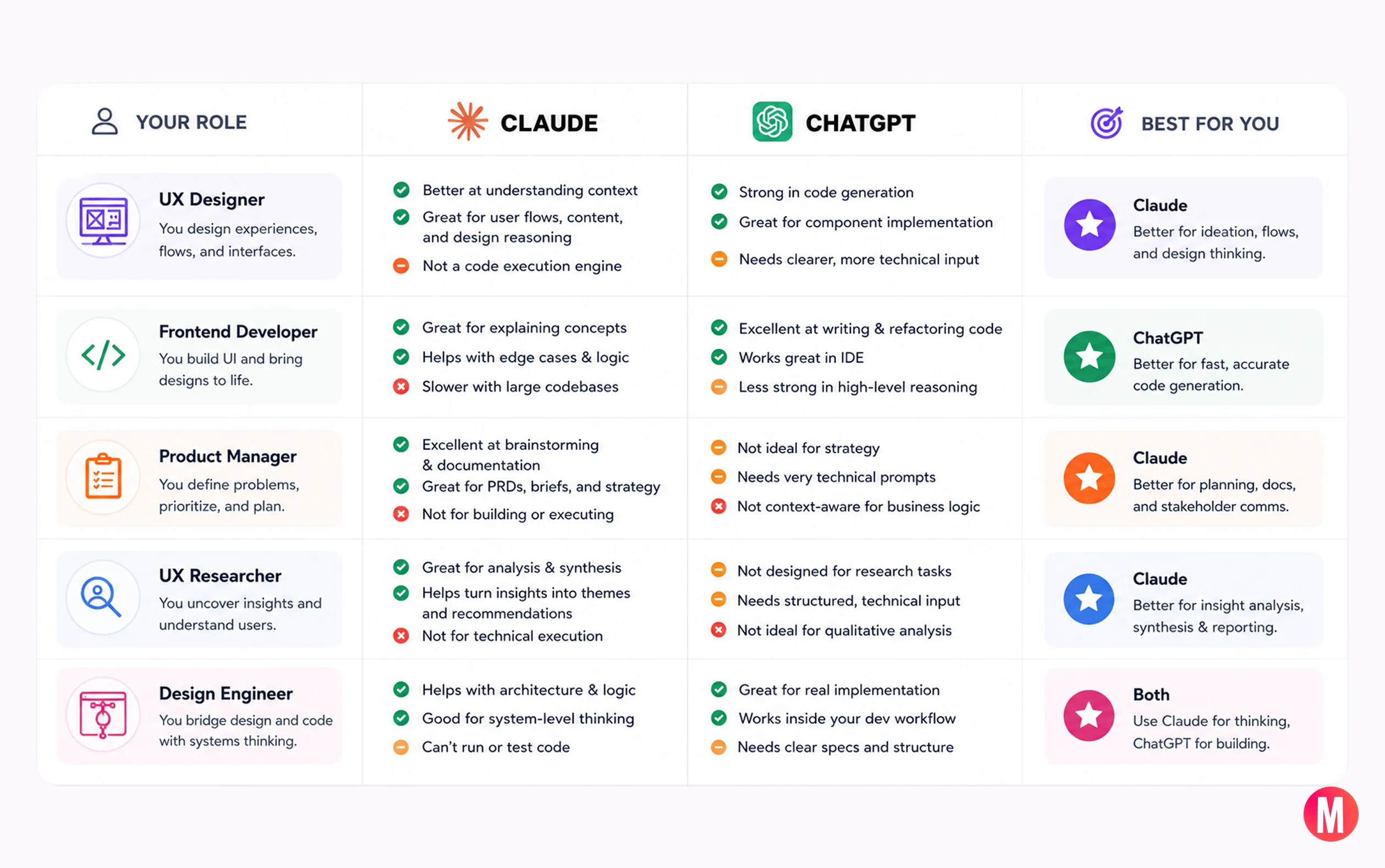
Different AI tools are optimized for different stages of the design and product development process. The most effective teams use each tool where it provides the greatest leverage—whether that's visual ideation, rapid prototyping, research synthesis, content creation, or engineering support.
Your role | Primary tool | Why |
Visual / Brand Designer | ChatGPT | Image generation and visual ideation are central to your workflow |
UX Designer | Claude | Prototyping, user flow documentation, and usability test assets |
Content Designer / UX Writer | Claude | Long-context consistency for onboarding sequences, error libraries, and content audits |
Product Manager | Claude | Research synthesis, PRD writing, and long-context spec work |
Front-End Engineer | Claude Code | Design system awareness and architectural reasoning |
UX Researcher | Claude | Long-context analysis, affinity mapping, synthesis across large data sets |
Design Director | Both | Strategic synthesis (Claude) + client-facing visual output (ChatGPT) |
Looking for more UX, product design, and AI resources? Explore the latest resources and guides from MassiveWork.
Frequently asked questions
Can Claude generate images for design work?
No. Claude has no image generation capability, and this isn't expected to change in the near term. It can analyze, critique, and describe uploaded images in significant detail, but it cannot produce visual assets. For image generation, ChatGPT with DALL-E is the correct tool.
Does either tool integrate directly with Figma?
Not natively. Both can connect to Figma through third-party plugins and API integrations. Claude's API is commonly used to power custom Figma plugins for spec generation and design documentation workflows. Neither tool reads live Figma files without additional integration setup.
Which AI is better for writing UX copy?
Both are capable, but Claude holds a meaningful edge for longer-form, consistent copy work, full onboarding sequences, error message libraries, or end-to-end content audits because of its stronger long-context coherence. ChatGPT is the faster option for short, high-volume copy variations where consistency across a long document isn't required.
Which is better for accessibility documentation?
Claude. Its ability to cross-reference WCAG guidelines [link], flag component-level accessibility issues, and generate detailed accessibility annotations makes it the most useful tool for teams building to AA or AAA standards. Claude Code can also review existing component code for accessibility violations in context, which Codex doesn't do reliably.
Conclusion
Both Claude and ChatGPT are exceptional AI tools, but they excel in different parts of the design process.
If your work revolves around user research, strategic thinking, insight generation, and long-form analysis, Claude is often the stronger choice. Its thoughtful reasoning and ability to synthesize complex information make it an outstanding research and product-thinking partner.
If you're looking for a more complete AI platform that can analyze interfaces, generate content, assist with product development, automate workflows, create visuals, and support cross-functional collaboration, ChatGPT provides greater overall versatility.



Industries
Services
Company
Resources